Take bookings on your site, and get found on Fresh
Tours, classes, workshops and camps in one place: bookings, waivers, payments and check-in, on your own website and in your town's Fresh hub, where people nearby look for something to do. There's no monthly fee.
A farm's season, start to finish
Juniper Hill Farm runs a free work weekend, a four-week composting workshop and three weeks of summer camp. Watch it set up on Fresh, get booked, run the day and bring people back.
Juniper Hill Farm and its guests are made up, on a test copy of Fresh. Stripe's sign-up and card form are simulated.
Two ways onto your site
Both are a few lines you paste once. They update themselves as you add dates, so there's nothing to keep in sync. They work on Squarespace, Wix, Webflow, WordPress and any site that accepts a custom HTML block.
The booking box
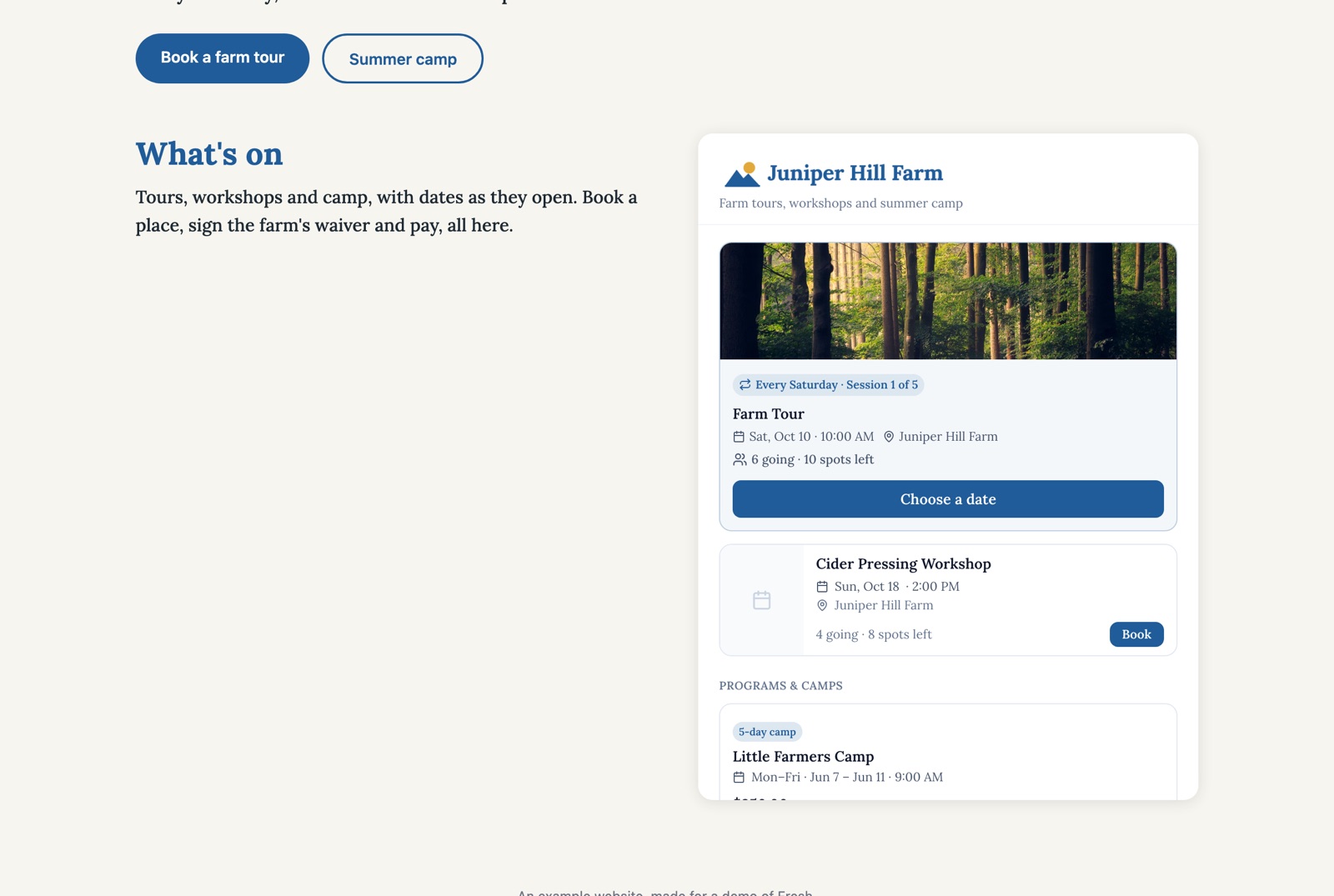
A panel on your page with your next activities, your programs and camps, and a way to book each one.
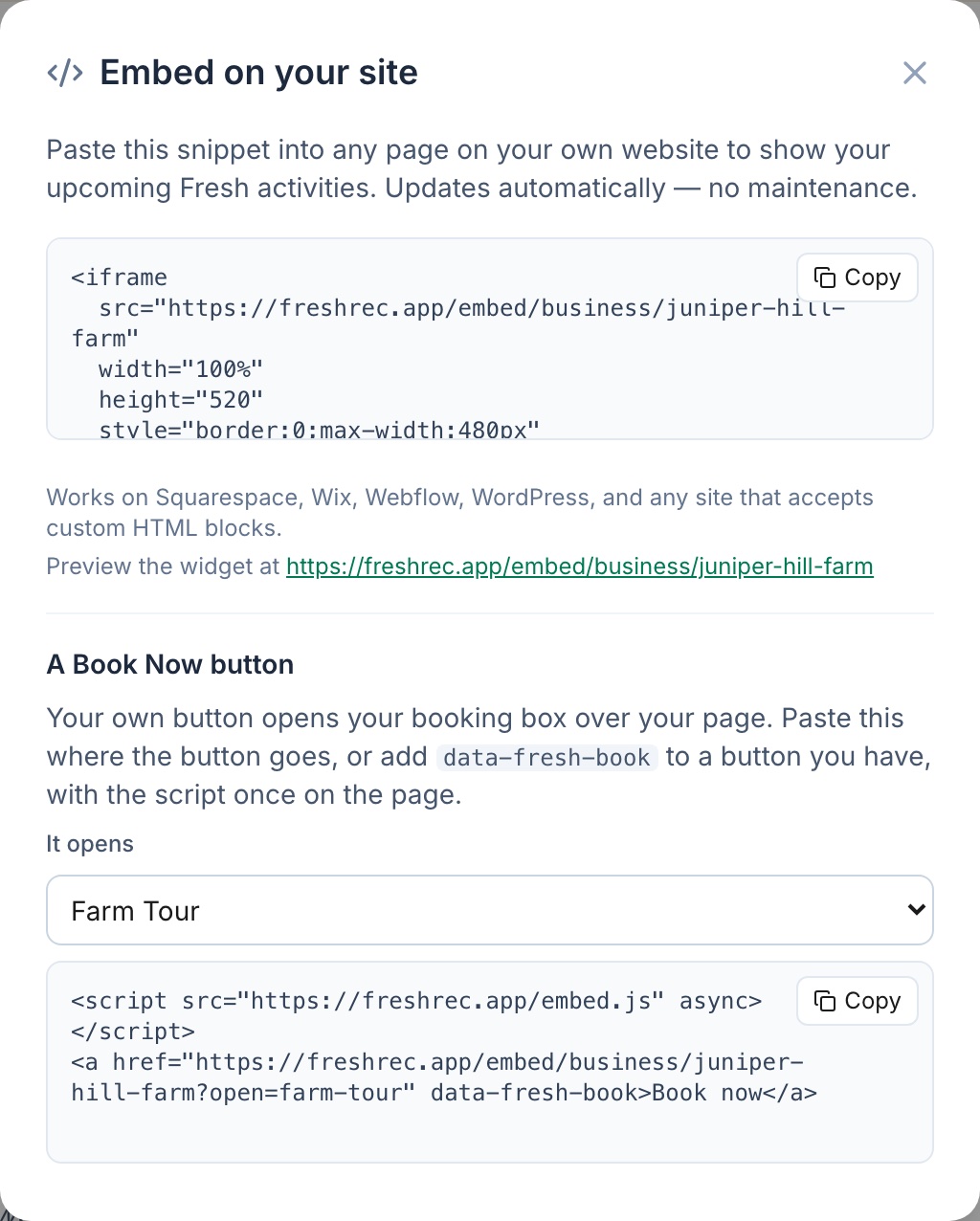
<iframe
  src="https://freshrec.app/embed/business/your-business"
  width="100%"
  height="520"
  style="border:0;max-width:480px"
title="Upcoming activities from Your Business"></iframe>A Book Now button
Your own button opens the booking box over your page, on everything you offer or on one tour or camp. Paste it where the button goes, or add data-fresh-book to a button you already have, with the script once on the page.
<script src="https://freshrec.app/embed.js" async></script>
<a href="https://freshrec.app/embed/business/your-business" data-fresh-book>Book now</a>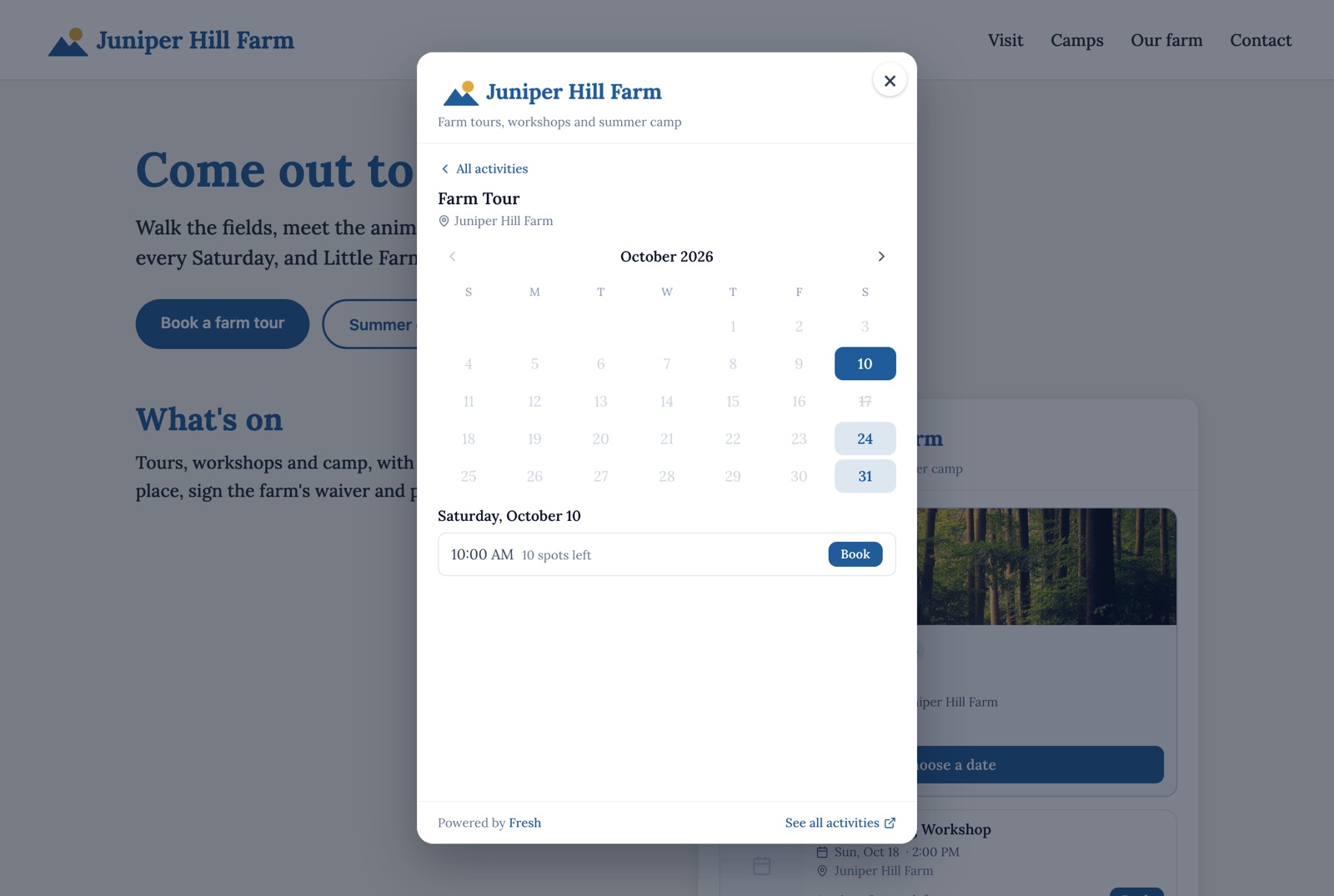
Where to find your code
On your business page on Fresh, click Embed on my site. Both snippets are there with your own address filled in, each with a Copy button. For the button, choose what It opens: your whole booking box, or one tour or camp.
What your guests see
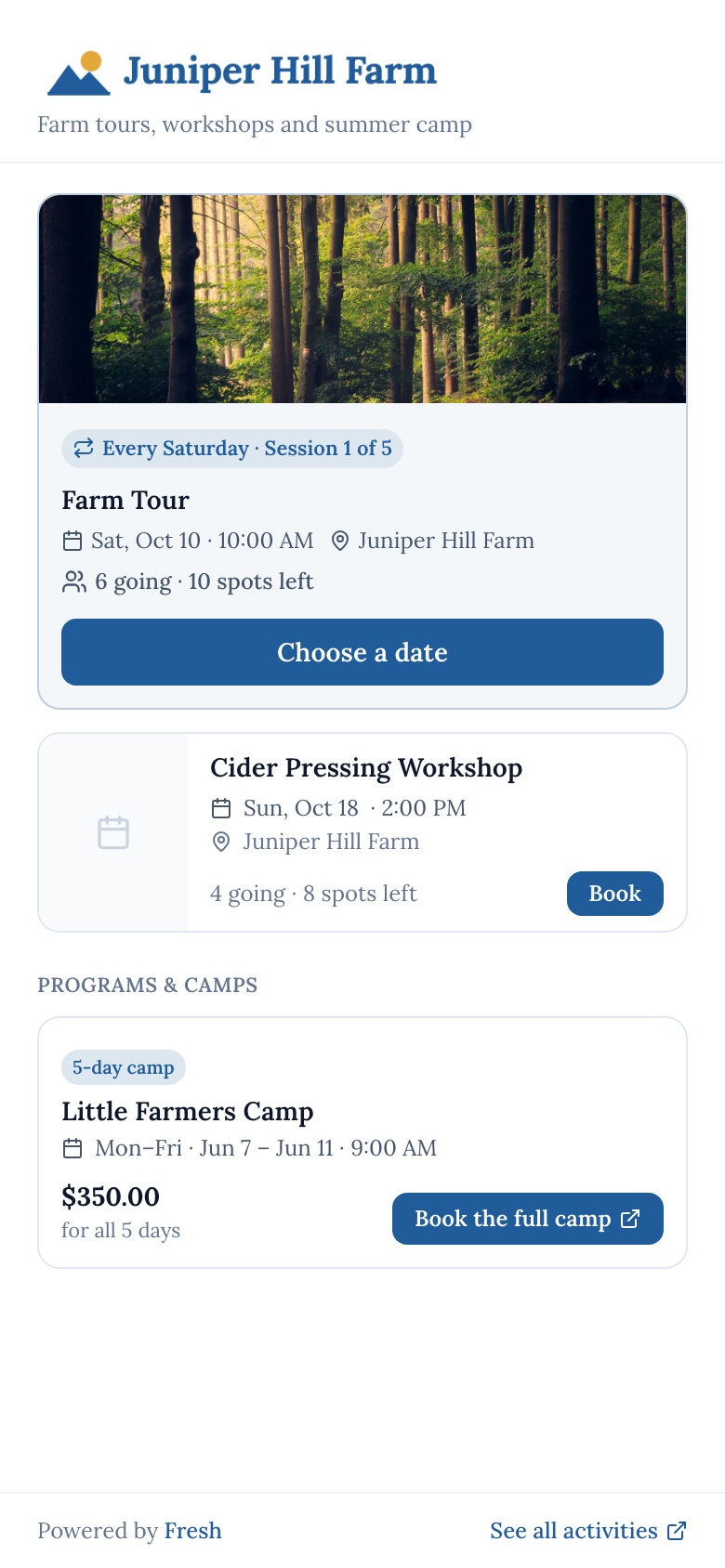
Guests book without making an account, and without leaving your site. On a phone, a Book Now button opens the box full screen.
-
 1Pick what to do
Your next activities, with places left. Programs and camps sit underneath, with their full schedule and price.
-
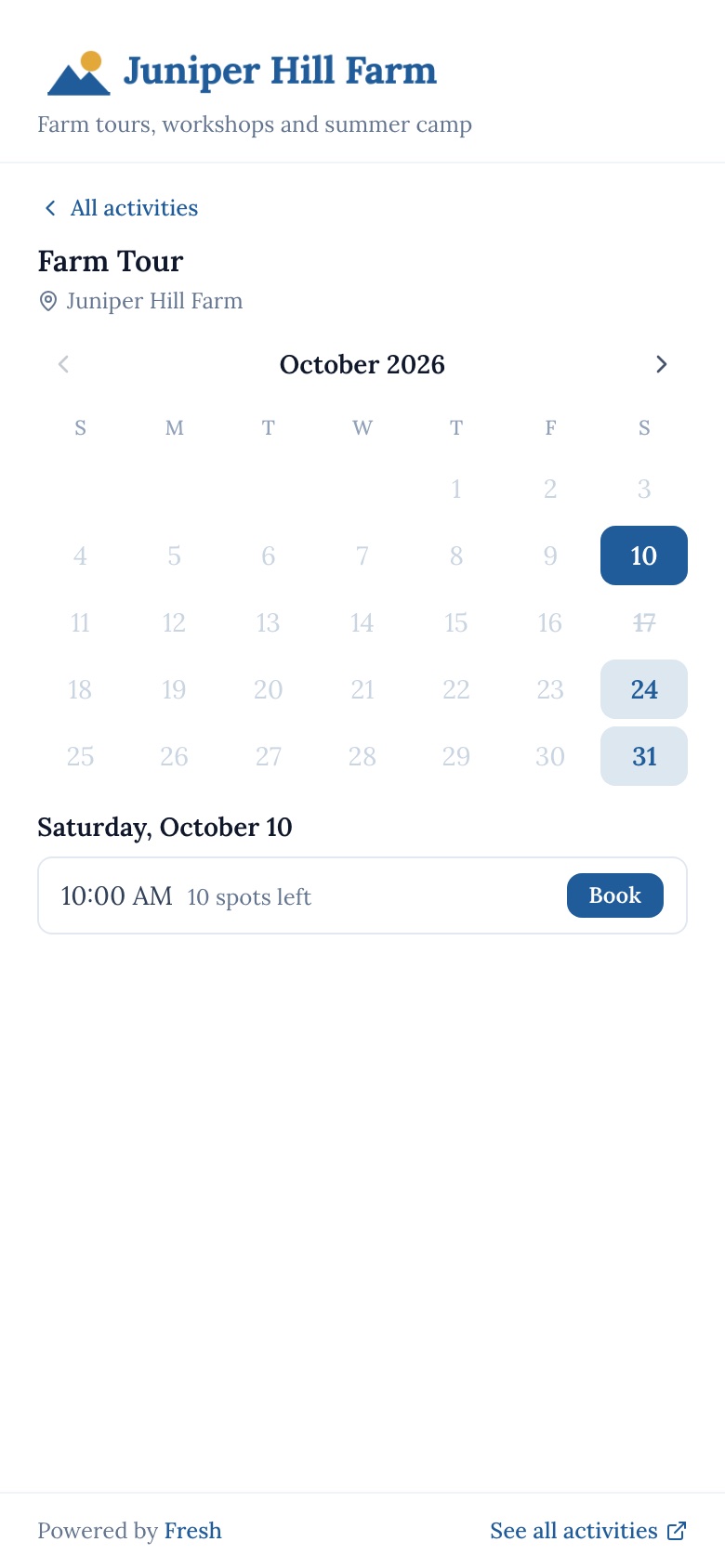 2Choose a date
A tour on many dates opens a calendar. Full days are struck through, and each day lists its times.
-
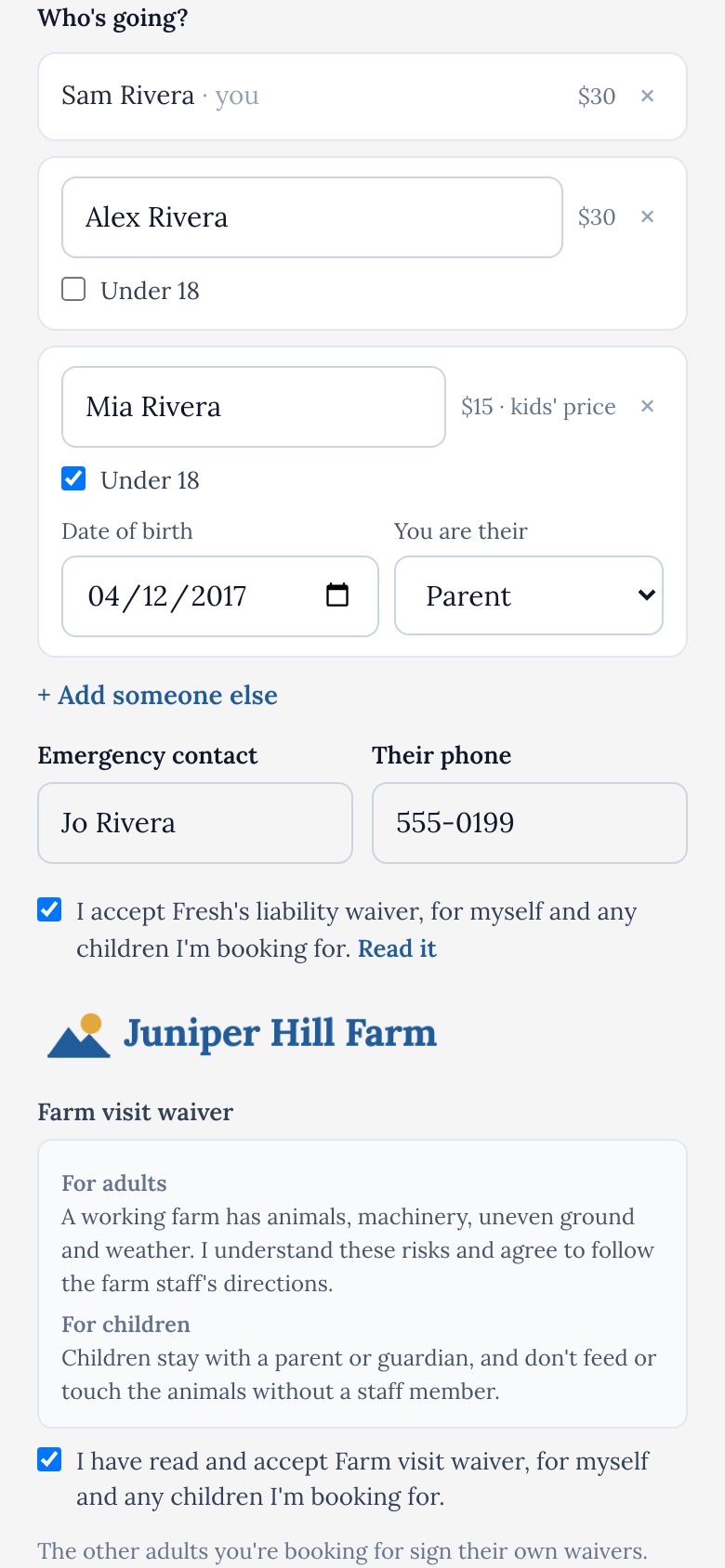 3Say who's going
One booking for the whole party. Children get your kids' price, everyone counts toward your places, and there's an emergency contact.
-
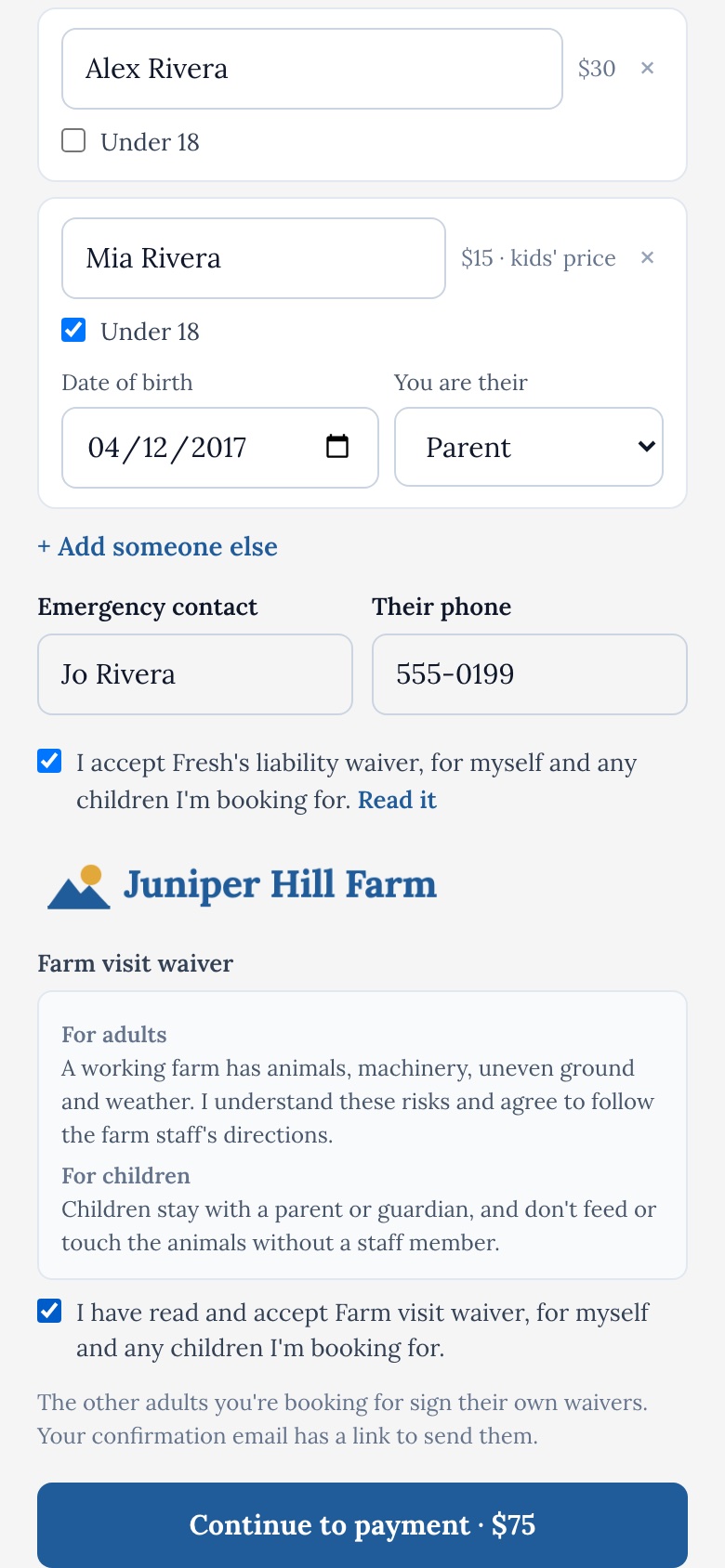 4Sign and pay
Fresh's waiver and yours, with your words for children, then payment by Stripe inside the box.
After they book: a confirmation email with a calendar invite and a link to their booking's page, where any other adult in the party signs their own waivers and the check-in code lives. Reminder emails go out the day before and an hour before.
Camps and full seasons are listed in the box with their price. For now, signing up for one opens your page on Fresh in a new tab.
Booking inside the box starts as soon as your business is approved and its payouts are set up. There's nothing to switch on. It covers your public, paid dates. Free, chip-in and pay-at-the-door dates, and anything not set to Public, open on Fresh instead.
Your brand, read from your website
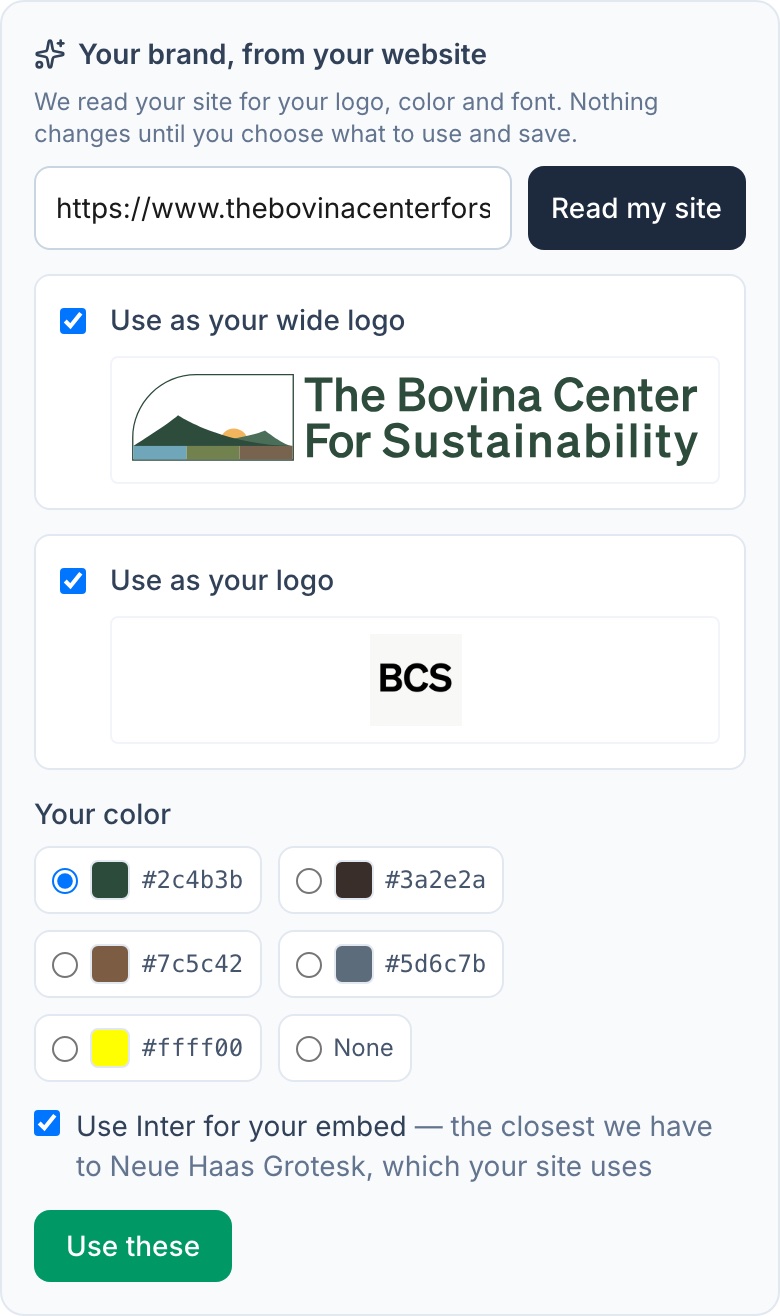
On your business page, click Edit profile, check your web address under Your brand, from your website, and click Read my site. Fresh shows what it found: your logos, your main color and your font. Untick anything you don't want, then save. Nothing changes until you do.
- The booking box takes your color, your font and your logo.
- Your waivers, each booking's page and your booking emails are headed by your logo, and the pages and emails take your color.
- Checkout on freshrec.app keeps Fresh's buttons, with your logo above your waivers.
Fonts come from a set of 17 free web fonts. If your site uses a paid font, Fresh offers the closest free match. You can also pick a color or upload a logo yourself.
Running it from one place
Everything a guest books on your site lands in the same place as bookings made on Fresh.
Any kind of offering, in the same steps
- A one-time event, a weekly or every-other-week series, or a multi-day camp. Skip any date you're closed.
- Paid, free or chip-in. Sell a series by the date, as a whole season, or both.
- An adult price and a lower kids' price, for children up to an age you set.
- A cancellation policy guests see before they pay: free cancellation up to a few days before, refunds at your discretion, or no refunds.
- Several waivers of your own, with words for children, and a choice of which ones each program asks for.
On the day
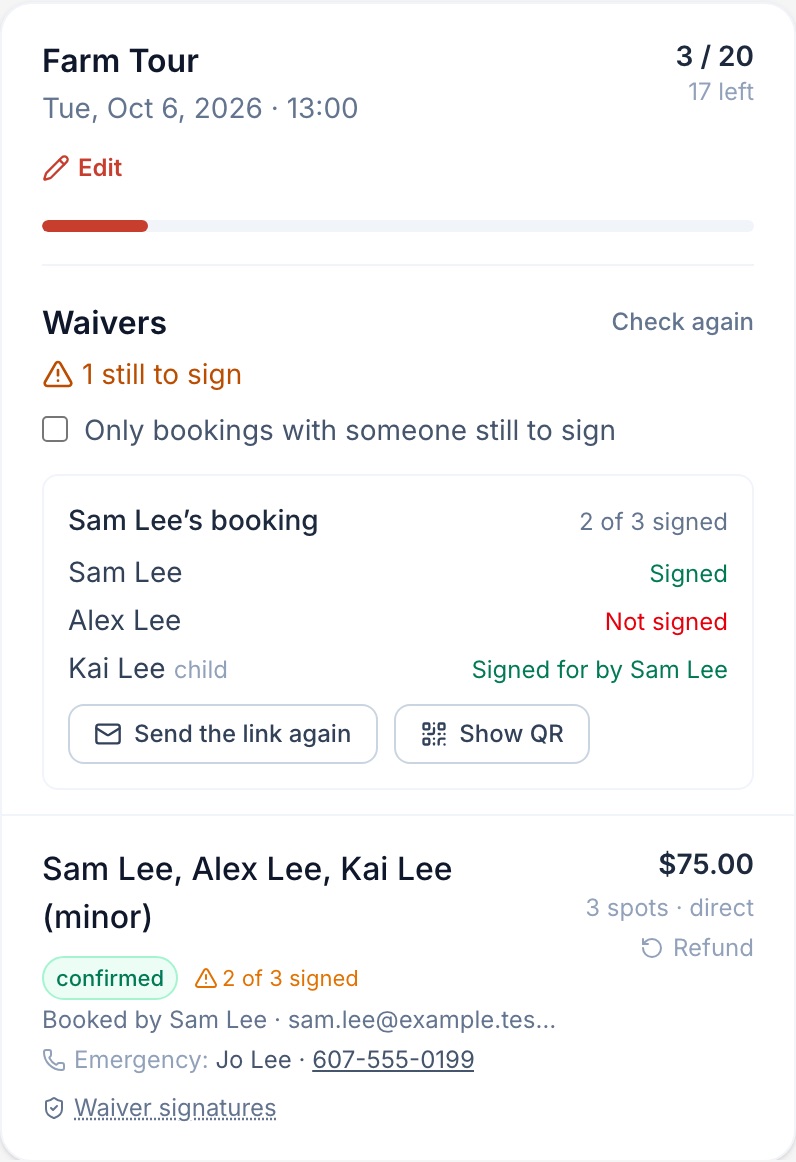
- The operator console lists every date's bookings and who has signed, person by person.
- Send the waiver link again, show a QR code to sign at the gate, and refund a booking.
- After a session, confirm who came. People who came get one invitation to the next date, and an offer of the rest of the season.
- Add your team, so staff can see bookings and run the day.

Found on Fresh too
Your activities also appear on Fresh in your town, next to its markets, music, classes and places to go, where people look for something to do this week. A local business on its own is easy to miss; a town's worth of them in one place gets looked at. Your page on Fresh holds your programs, camps, single dates and team, and the booking box links to it with See all activities.
What it costs
There's no monthly fee, and listing is free. Fresh keeps 5% of each paid booking, so Fresh only makes money when it brings you money. Card processing comes out of your payout, as with any card payment. Guests pay the price you set, with nothing added.
Payouts go to your bank through Stripe. Setting them up takes about 10 minutes. Free activities need no Stripe at all.
Is Fresh a fit?
A good fit
- You run tours, classes, workshops, events or camps, outdoors or around your town.
- You want guests to book on your own site, and also to be found by people nearby.
- You host families, and need kids' prices and waivers that cover children.
- You'd rather pay a share when bookings come in than a monthly subscription.
Not built yet
- Promo codes and gift cards.
- Waitlists for full dates.
- Several start times in one series. Each series runs on one day of the week at one time, so a tour at 9 and at 1 is two series.
- Camp sign-up inside the box. For now it opens your page on Fresh in a new tab.
Getting started
- Create your business page on Fresh. Approval usually takes under 24 hours.
- Set up payouts, if you'll charge. About 10 minutes.
- Add your waivers, with words for children if you host them.
- Read your brand from your website, under Edit profile.
- Add your first tour, class or camp with New activity.
- Open Embed on my site, copy the booking box or a Book Now button, and paste it into your site.
- Make a test booking from your own site. Your public, paid dates book right inside the box.
Questions? Write to support@freshrec.app.